The Complete Guide to Local Business Marketing

Using Local SEO and Email Marketing
In making this guide I have used information direct from the internet. I have put it in logical order that makes sense to anyone who wants to start using the internet as a marketing tool. This comes from years as a business owner myself. If you decide to use any of the services I have suggested here (that I also use) I get renumerated at no cost to yourself.
Table of Contents
What is local business marketing
How to use Local Business Marketing
The importance of Google Business Profile
How to get on Your Google Business Profile
Optimize Your Google Business Profile
What is Google Search?
What are Keywords?
How to use Keywords in Your SEO
How to get on Google Maps
Google Maps is a must for Your Local Business
Why You Want to Optimize Your Business on Google Maps
Ranking on Google’s Maps first page gives you a good foundation for your other marketing.
Being on Google Maps should be an integral part of your marketing campaign if you own any type of local business.
It takes your prospects from searching to a sale, smoothly. This includes: Social Media, Ads and Email Marketing.
How to get on Google Maps
Why You Want to Optimize Your Business on Google Maps
Getting Ranked on Google Maps Will Help Your Business be Found Easily
Ranking your local business higher on Google Maps Make sure
Put up photos of your exterior and interior
Reviews are important
Add relevant information for your prospective customers
Post on your Google Business Profile
Track your analytics on your GBP account with Google’s Insights Tools.
Use Your Website to Rank Higher on Google Maps
The importance of a website
Make Sure Your Website is Responsive
Use Local Keywords
Embed a Google Map on Your Website
Quality backlinks are important for ranking on Google
Build Niche and Local Related Citations
What is Local Business Marketing
Defined in Google, Local business marketing targets customers within a specific geographic area, typically near a physical storefront, using digital and in person tactics to build community loyalty, visibility and foot traffic.
How to use Local Business Marketing
Key strategies include optimizing your Google Business Profile, using geo-targeted ads and participating in local events.
The importance of a Google Business Profile
A Google Business Profile (formerly Google My Business) is s free, virtual storefront tool that allows businesses to manage their online presence across Google Search and Maps. It enables owners to display crucial information—address, hours, phone number, and photos—to boost local visibility and build trust through customer reviews.
How to get on your Google Business Profile
To get on Google Business Profile, visit google.com/business and sign in with a Google account to create or claim your listing. Enter your business name, category, and location, then verify ownership via phone, email, or video. Once verified, you can add hours, photos, and post updates to appear on Google Maps and Search.
Post on your Google Business Profile listing
GBP posts give you a chance to share valuable information with your customers. Such as: events, sales, coupons, news about your business, upgrades and well-wishes to your customers on major holidays. Writing regular posts can also influence your local SEO and they should all have a call-to-action (CTA).
Optimize your Google Business Profile
Optimizing your Google Business Profile involves ensuring complete, accurate information, actively managing reviews, posting regular updates and using high quality visuals to boost local search rankings. Key steps include verifying your listing, selecting precise categories, updating hours, adding products/services and utilizing keywords in your description.
Add relevant information for your customers
This information provides prospective customers answers to questions they may have. Relevant information with photos, brand logos and names of the owner, the manager, etc. can help rank you higher in Google Map’s search results. It’s important to update your information when there are changes.
Track your GBP analytics with Google’s Insights Tools.
This will show you how many people viewed your business information, used the directions and how your customers found you.
What is a Google Search?
Google Search is a fully automated, world leading web search engine that uses bots (crawlers) to index billions of webpages, providing nearlh instant, relevant results to use queries via comple algorithms. It serves over 5.4 billion daily searches, offering features like voice search, unit conversions, and personalized local information.
When you type your search query (keyword(s)) into the Google search bar and hit enter, your browser sends a request to Google’s servers. Crawling and Indexing: Google’s servers utilize a process called crawling, where they systematically browse the web to find and index new content.
The importance of Getting on Google Maps
Getting on Google Maps is an essential part of growing and getting traffic to your Business. For a detailed report on getting your local business ranked on Google Maps, Go to: How to Get Your Local Business Ranked on Google Maps
Embed a Google Map on Your Website
Embed a Google Map on your website to rank higher. The contact page is good place to embed them. This shows Google that your business is located where your listing says it is.
To embed a Google Map on your website, search for your business name in Google Maps. Click on “Share” in your listing and select the “Embed a map” tab. Copy and paste the link on your business’s contact page.
Use Your Website to Rank Higher on Google Maps
In addition to optimizing your GMB listing, make sure your website is in line with local search best practices.
What are Keywords?

Keywords are the specifics words or phrases that users type into search engines, such as Google, Bing or YouTube, to find information. They represent the core concepts of a topic, serving as essential descriptors for search optimization (SEO) and content discovery, allowing businesses to match user intent.
How you use keywords in your SEO
To use keywords effectively in SEO, place your primary keyword in the URL, title tag, H1 header and within the first 200 words, while naturally sprinkling synonyms throughout the content. Focus on 1–2% keyword density, ensuring content matches user intent rather than just repeating phrases. Use tools like Google Keyword Planner or Ahrefs to find relevant, low-competition keywords.
Use Local Keywords in Your Website
Make sure the important pages of your website are optimized for location-based searches. This means placing geographically modified keywords into their titles, headers, body, image tags, and URLs.
What is SEO?
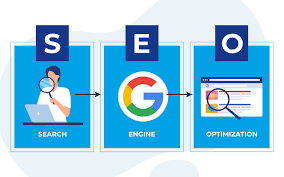
SEO (Search Engine Optimization) is the process of enhancing a website to increase its visibility in non-paid (organic) search engine results. It involves optimizing technical configurations, content relevance and link popularity to help search engines understand content and rank it higher, driving more targeted traffic to a site.
Better rankings on search engines, increase the visibility of your site, ultimately raising sales conversion. SEO practices require an understanding of its processes, hiring an SEO expert reduces this burden, as they possess the experience and know-how to promote your website.
Why SEO is so important to your business
It’s not just about getting traffic. It’s about targeted and relevant traffic.
8 reasons why SEO is important to your business:
- Search engines serve millions of users everyday looking for answers to their questions and solutions to their problems. If you have a business site, SEO can help you get targeted free traffic to it through search engines. Google My Business is a great way to implement your local search strategy.
- SEO builds trust with your audience in an era of internet scams and fake offers, trust comes hard people. But, while it’s hard to build, it isn’t impossible.
- SEO is measurable with tools like Google Analytics and Google Search Console that measure the results of the methods you’re implementing. Accurate data gives you a good idea of where you are now & how to get where you want to be in the future.
- SEO is cost-effective, it’s relatively inexpensive. It works towards giving your website stable traffic with the least amount of expenses as possible. Guaranteeing and maximizing your return on investment (ROI) for more leads and earnings.
- SEO is a long-term process that brings long-term advantages to your business. Yes, SEO takes longer to produce noticeable changes, usually 6-10 months after its implementation before profits start to show. SEO needs a good plan and dedication to achieve success. With patience and an effective plan you will succeed.
- Mobile and voice search is increasing day by day, making SEO a must-have for every online business’ success.
- Good SEO gives a better User Experience when browsing through your website, achieving better organic ranking & maximum visibility on SERPs. There are plenty of ways to improve your website’s user experience. Using simple methods like providing engaging content, secure sites and a user-friendly interface will do wonders for your ranking. All these will ultimately increase website conversion rate.
- SEO keeps your website Up-to-date. Search engines search for websites that are frequently updated with fresh and high-quality content. It helps increase search engine ranks. The more you post about the latest trends and changes, the more your website appears updated, leading to a higher ranking on SERPs
Local Business SEO

Local business SEO optimizes your online presence to attract customers from relevant local searches, primarily on Google maps and search results. Key strategies include claiming a Google Business Profile, ensuring consistent NAP (Name, Address, Phone) data across directories, gathering local reviews, and creating locally relevant website content. It is crucial for driving high-intent, nearby foot traffic.
The difference between Local Business SEO and General SEO
Local SEO targets specific geographic areas to attract neary customers (e.g., “coffee shop in London”), relying heavily on Google Business Profiles and local citations. General SEO (organic) targets a national or global audience for broader visibility, focusing on content marketing and backlinks.
Key Local SEO Strategies
- Optimize Google Business Profile (GBP): This is the most crucial step. Ensure your business name, address, phone number, hours, and categories are accurate. Add high-quality photos and encourage customer reviews.
- Local Keyword Targeting: Identify keywords that include your city or neighborhood, such as “coffee shop in [City Name]” or “plumber near me”.
- Localized Website Content: Create content that highlights your involvement in the local community, such as blog posts about local events or sponsorships. Use local keywords naturally in your website’s service pages, about us page, and meta tags.
- Build Local Citations: Ensure your business is listed in local directories like Yelp, Yellow Pages, and local chamber of commerce websites. Consistency across these listings is essential to build trust with search engines.
- Mobile Optimization: Ensure your website is mobile-friendly and loads quickly, as many local searches are performed on mobile devices.e of the easiest ways to spot a safe and secure website, is if it has a “https://” prefix.
- Get Local Backlinks: Reach out to local newspapers, bloggers, or non-competing businesses to secure links back to your website, which signals to Google that you are a relevant local entity.
- Use Local SEO Tools: Utilize tools like Semrush to track your local rankings, audit your Google Business Profile, and identify opportunities for improvement.
- Monitor and Reply to Reviews: Actively manage your online reputation by replying to both positive and negative reviews promptly.
- Leverage Local Sponsorships: Sponsor local events or charities to increase brand awareness and gain legitimate, local backlinks.
Get Quality Backlinks for Higher Ranking
What are Backlinks?
Backlinks are clickable links on other websites that point to your website, serving as “votes of confidence” or online word-of-mouth that tell search engines your content is valuable. They are crucial for SEO, directly impacting rankings, domain authority, and referral traffic. Quality and relevance matter more than quantity for ranking higher. The more relevant links you have, the larger your visibility in the eyes of Google’s algorithm.
How to get Backlinks
Getting backlinks in 2026 involves creating high quality linkable assets, link worthy content (such as original research, statistics, free tools, infographics or in depth guides and actively promoting it to relevant websites. Effective strategies include guest blogging, fixing broken links on other sites, replacing unlinked brand mentions, leveraging partnerships and using expert platforms like HARO to secure high-authority links. Quality, relevant links improve search rankings more effectively than high volume.
For a detailed report on the best way to get backlinks – Go to: The Most Effective Ways to Get Backlinks
Niche and Local Related Citations
What is a Local Citation
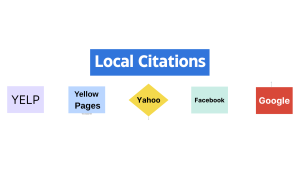
A local citation is any online mention of a business’s Name, Address and Phone number (NAP). They appear on business directories, social platforms, and websites, serving as a critical local SEO tool to verify business legitimacy and improve ranking signals for search engines like Google.
Build niche and local citations
A big aspect of local SEO is niche and local relevance with on-page and off-page optimizations. For off-page, one way to do this is to build niche and local citations.
Example: A citation from the local chamber of commerce’s website or the electrical contractor’s directory.
You can get these citations indexed by:
- Linking out to websites and directories from your site.
- Put them through the Google mobile-friendly testing tool.
- Send them to an indexing service.
For these citations to have SEO value they must be indexed by Google or they’re worthless.
For a more detailed report on how to get Local Citations, Go to: The Importance of Local Citations
The importance of a website for local business

A website is crucial for local businesses to establish credibility, improve visibility in local search results and operate 24/7, acting as a digital storefront that builds trust via reviews and testimonials. It serves as a central marketing hub that drives customer engagement, showcases products/services, and bridges the gap between online searches and in-person visits.
Search engines tend to place websites that offer good user experience higher up on the search results, a good way to quickly start gaining visibility to your landing page.
Make Sure Your Website is Responsive
A responsive website works with any device and on any screen size. The majority of map and local searches are performed on mobile devices, so be sure there are no broken links and it’s not slow to load, or your ranking will suffer.
An excellent way to gain your user’s trust is to provide them with a good user experience while on your website. A good way to provide this is to ensure that your website is easy to access, navigate through, has proper header tags and is responsive to mobile devices.
First Get a Domain

Domain registrars are ICANN accredited companies that manage the reservation and renewal of internet domain names., acting as intermediaries between users and central registries. A top, reliable registrar and the one I use and recommend is Dreamhost
A domain name is a unique, human friendly address used to access websites (e.g., businesstriump.com), translating complex numerical IP addresses into memorable text. They consist of a name and a top-level domain (e.g., .com, .net) managed by registrars like Dreamhost
- Top-Level Domain (TLD): The extension, such as
.com,.org, or.net. - Second-Level Domain (SLD): The unique name chosen, such as “businesstriump” in
businesstriump.com. - Subdomain: A prefix used to organize sections of a site, such as
blog.example.com.
Make sure you add an SSL to your web address. An SSL is the protocol used by HTTPS to encrypt information, acting as a search engine’s way of telling potential page visitors that their personal information, along with yours, will remain protected. Example, https://www.businesstriump.com
- Keep it Short & Memorable: Avoid long phrases, hyphens, or confusing spelling.
- Prioritize .com: It is the most recognized and trusted extension, though others (e.g.,
.io,.co) are acceptable for specific niches. - Brand Identity: Select a name that reflects your business, as it is crucial for credibility.
- Select a Registrar: Choose an accredited company like Dreamhost.
- Search Availability: Use their search tool to see if your desired name is available.
- Purchase and Register: Provide your details, pay the annual fee, and secure ownership.
- Configure DNS: Point your domain to your web host to make it active.
Web Hosting

Once you get your domain you’ll need web hosting. Web hosting is a service that stores website files (code, images, content) on servers, making them accessible online. It provides the infrastructure for websites to run, with key types including shared, VPS, cloud and dedicated servers. Common providers like, Pressable, offer 99.9% uptime, free SSL and domain registration.
I use and recommend Pressable as your host. Pressable is a popular, independent web hosting provider known for its strong WordPress integration, high reliability, and transparent pricing. Key advantages of using Pressable include an exceptionally long 97 day money back guarantee, a 100% guarantee and being officailly recommende by WordPress.org.
Making your website
I highly recommend you use WordPress when making your website. WordPress is a widely used, open-source content management system (CMS) that powers over 40% of the web, offering immense flexibility, a vast plugin ecosystem and strong SEO capabilities. Its main advantages include ease of use, cost effectiveness, high customization via themes and plugins, excellent scalability and large support coummunity.
Components of a successful website for local business
A successful local business website must include a clear homepage with a value proposition, “about us” info, services/products and contact details. Essential features include mobile responsiveness, local SEO (maps/address), client testimonials for trust and clear Calls to Action (CTAs) like “Call Now” or “Book Appointment”.
What is a homepage?
A homepage typically serves as an entry point for visitors, offering them an overview of the entire websites content and helping them navigate to different pages. Homepages often feature news items, helpful links, interesting visuals and other engaging content that draw visitors into the site.
Use a homepage as a general, informational hub for brand exploration and broad navigation, designed for visitors to learn about the company.
What is Local Email Marketing and It’s Importance
Local email marketing is a highly profitable strategy ($36–$42 ROI per $1 spent) for small businesses to drive foot traffic, foster loyalty and convert local customers. It involves collecting in-person, local email subscribers and sending targeted, timely and personalized content, such as exclusive in-store events, limited-time local offers and community-focused news.
 $1 spent) for small businesses to drive foot traffic, foster loyalty and convert local customers. It involves collecting in-person, local email subscribers and sending targeted, timely and personalized content, such as exclusive in-store events, limited-time local offers and community-focused news.
The importance of a landing page in Local Email Marketing

Landing pages / opt-in lead capture page are targeted, standalone, goal-focused pages built to drive a single action, such as a signup, trial, demo, purchase, or lead capture. Unlike homepages, they are not designed for exploration. They exist to reduce friction, clarify value and guide visitors toward a measurable outcome. Use a landing page for targeted, high-conversion campaigns (ads, emails) with a single, specific call-to-action (CTA) to minimize distraction and maximize ROI. Bottomline, you use them to get leads.
To create landing pages with opt-in / opt-in lead capture pages you’ll need an email marketing software.
What is Email Marketing Software?
Email marketing software / Email Service Provider / Email Marketing Tool is a digital toolset designed to create, send, manage and optimize email campaigns to a subscriber list also known as an email list. It streamlines building customer relationships, boosting brand awareness and nurturing leads through automation, analytics, and drag-and-drop builders. It handles legal compliance, such as unsubscribes. I use and recommend Benchmarkemail an easy to use Email Marketing Tool with excellent customer service.
What is an Email list?
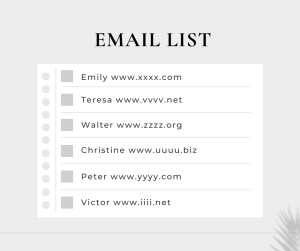
An email list is a curated collection of email addresses from individuals who have given consent to receive communications, such as newsletters, updates or promotions from a brand or person. It is a vital, owned marketing tool used for direct communication, driving sales, and nurturing customer relationships.
How to create a landing page
Creating an effective landing page involves defining a clear goal, creating a compelling headline and adding a strog call to action (CTA) to convert visitors. Use tools like Benchmarkemail to select a template, use an opt-in / signup form, add engaging visuals and ensure mobile optimization. Key elements include a simple, focused design with minimal distractions, social proof and a concise form.
Make sure to get Reviews
Reviews are critical evaluations or assessments of products, services or companies, providing honest impression to help comsumers make informed decisions. They often feature J-shaped distributions, with users tending to post extremely positive or negative experiences. These insights are vital for business reputation and improvement.
How to Get Reviews
To get more customer reviews, directly ask satisfied clients immediately after a service or purchase, making it effortless by sharing a direct Google review link or QR code. Automate the process via CRM/email, ask in person for high success rates and reply promptly to all feedback to show you value input
Key Strategies to Get Reviews
- Direct Request at Peak Moment: Ask for a review right after a positive interaction, such as when a customer praises your service or finishes a purchase.
- Create a Direct Link: Generate a specific URL from your Google Business Profile to make leaving a review a single click.
- Use QR Codes: Place QR codes on menus, receipts, tables, or business cards, particularly for in-person businesses.
- Automate Follow-ups: Use tools like Benchmarkemail to send automated emails after purchases.
- Make it Personal: Send personalized messages instead of generic templates to increase response rates.
Why blogging is important for your site

It helps increase your website’s credibility and traffic. Blogs help disseminate relevant content, as well as promote your products and services. lt also gives you an opportunity to implement interlinks to your posts, keeping users on your website longer with related topics.
The fact is, that Customers and Clients search online for products and services on Google, who then sends them to local businesses in their area.
Conclusion
I have done my best in making this a goto guide on ranking in Google Maps. There are places where I could have gone into more detail, but better to leave them for a more specific piece. I do get remunered for any of the companies you use that I have suggested, with no cost to yourself.
Got questions, comments or suggestions?
Please email me at: menaservices@businesstriump.com
I will see it and get back to you promptly.
You can also find me at:
https://www.facebook.com/Tmena52/